
NHTSA ID Number: 10161705
Manufacturer Communication Number: A0019222047812_6
Summary
This informational bulletin contains instructions for setting up and using the SD Creator program.
2010-2021 A3, 2015-2021 A3 Cabrio, 2010-2016 A3 Sportback, 2010-2021 A4, 2010-2021 A4 allroad, 2010-2012 A4 Avant, 2010-2021 A5 Cabrio, 2010-2021 A5 Coupe, 2018-2021 A5 Sportback, 2010-2021 A6, 2010-2021 A7, 2010-2021 A8, 2010-2019 e-tron, 2019-2021 e-tron quattro, 2015-2021 Q3, 2010-2021 Q5, 2010-2021 Q7, 2019-2021 Q8, 2010-2020 R8 Coupe, 2011-2020 R8 Spyder, 2017-2019 RS3, 2010-2021 RS5, 2010-2020 RS5 Cabrio, 2016-2018 RS6, 2016-2018 RS7, 2010-2012 S4, 2010-2021 S5 Cabrio, 2010-2021 S5 Coupe, 2018-2021 S5 Sportback, 2010-2021 S6, 2010-2020 S7, 2010-2021 SQ5, 2010-2021 TT Coupe, 2010-2021 TT Roadster
135 Affected Products
Vehicles
AUDI | A3 | 2010-2021 |
| AUDI | A4 | 2010-2021 |
| AUDI | A5 | 2010-2021 |
| AUDI | A6 | 2010-2021 |
| AUDI | A7 | 2010-2021 |
| AUDI | A8 | 2010-2021 |
| AUDI | Q3 | 2010-2021 |
| AUDI | Q5 | 2010-2021 |
| AUDI | Q7 | 2010-2021 |
| AUDI | Q8 | 2019-2021 |
| AUDI | R8 | 2010-2021 |
| AUDI | TT | 2010-2021 |
The purpose of this bulletin is to explain the SD Creator program: how to set the program up and use it.
Note:
Only the K0942 software update for MMI3G+ is available for download. Older software updates for MMI3G+ are not available for download and must be purchased from the Parts department.
Technical Background
All software updates for MMI and FPK from MY15 onward will be available using the SD card creator as long as the MMI is of the MIB platform. Some MMI3G+ software updates are also available for download (Figure 1). The Service section explains the process of setting up and using the SD Creator program. If the program cannot be installed due to IT restrictions, then the SD Cards containing the software updates are available for purchase via the Parts department.
Production Solution
Not applicable.
Service
Required equipment:
- ODIS Service with VAS tester (SD Creator program can only run on a VAS tester with the ODIS Service at the Dealership).
- If using a 6150A, an USB-to-SD card reader will need to be used due to the slow read rate of the internal SD card slot of the 6150A. See the section below titled “6150A SD Card Slot Slow Read Rate Issue”.
- Valid MirrorServer Certificate installed on a VAS tester with the ODIS Service (certificate must not be expired).
- Blank SD card, with enough capacity, to download the software update files (each update requires a separate SD card).
- Part number of the software update. This is the service part number for the SD card in ETKA. The part number can be found in the TSB or within ETKA.
Time to set up the program for the first time on the ODIS machine:
- Approximately 5 minutes.
Please see the following video: https://audiexternal.kzoplatform.com:443/swf/player/341
Time to download software onto SD card:
- The time varies based on the size of the software update files & the type of internet connection. Typical download time is around 30 minutes to 1 hour with a 3MB/s stable download connection. Keep in mind your times can vary greatly based on the time of day due to heavy usage periods for the Internet Service Provider.
How to select the correct SD Card:
The first step is to obtain a blank SD card with enough space required for the software update. Typical SD card sizes are listed below, but always reference the original TSB which suggests the software update. When the download process is started, the SD Creator program will format and wipe all data from the SD card. Please make sure to back up any important data which is already installed on the SD card before starting the download process. It is important to note the download process cannot be started without an SD Card installed in the VAS tester with ODIS Service.
- MIB1 High: 2-4GB
- MIB2 High Scale: 2-4GB
- MIB2 High Navigation: 4-8GB
- MIB2+ High Navigation: 4-8GB
- RMC: 2-4GB
- MMI3G+: 0.5GB (500MB)
- FPK: 1-2GB
6150A SD Card Slot Slow Read Rate Issue:
The internal SD card slot on a 6150A cannot be used due to the slow read rate. The SD Creator will not allow any SD card to be used when placed in the internal SD card slot of a 6150A due to the slow read rate of the slot. Alternatively, the user can use a USB-to-SD card adapter that can be inserted into one of the USB 2.0 ports of the computer. When choosing an adapter, ensure the adapter is at least USB 2.0 compliant (USB 3.0 will work as well).
Installing the SD Creator (IT Administrator help may be required):
- Using a VAS tester with ODIS Service, open a web browser and navigate to https://mirrorserver2.vwhub.com/dav/BTAC/Trade-Retail/Tools/SD-Creator/.
- If prompted for a security certificate then select the MirrorServer certificate for the machine.
- Within this folder, you will find the “SD Creator” install program labeled “setup_ V1.1.7.7.exe”. Click on this file and save it to the desktop or another folder on the machine. If you are unable to download this file then please contact your IT administrator.
- Once the file has successfully downloaded, install the program onto the VAS tester with ODIS Service by double-clicking the file labeled “setup_ V1.1.7.7.exe”. If IT policies restrict the installation of programs on the VAS tester with ODIS Service then please ask the IT administrator to perform the install.
- The AUDI AG created installation instructions and user manual are located in the same directory and is labeled “2017_03_21_Benutzerhandbuch_SD_Creator_V_1.0_EN_.pdf”.
Once the program is installed it will place an icon labeled “SD Creator” on the desktop:
- Open the application by double-clicking the icon.
- When prompted, select the drive letter for the SD card (Figure 3 – item 1).
- Enter the support email address, “SDCreatorSupport@audi.com” (Figure 3 – item 2).
- Select the MirrorServer certificate by selecting “Select certificate…” (Figure 3 – item 3).
- Enter the MirrorServer address (Figure 3 – item 4) by using “https://mirrorserver2.vwhub.com” (without quotes). Once set, the user can later verify this setting in the server section listed under the “settings” tab.
- Select “Audi” in the “Brand” drop-down menu after item 4.
- Uncheck the box for “Show this dialog on every launch” and select “Next”.
Note:
When the “Support” button is pressed (Figure 4), an email will automatically be generated along with any error logs (also automatically attached). In the email, type a brief description of the error experienced and then send the email. The email will be sent to the support team at AoA.
Using the SD Creator to download the software update files
- You will need the SD card part number listed in the Required Parts and Tools section of the original software update TSB or by searching ETKA.
- Enter this part number into the “Part number” field with NO SPACES. The program will automatically find the software files on the MirrorServer if entered correctly.
- For instance, if the SD card part number is 4M0 906 961 AE, then enter “4M0906961AE” into the part number field. The program will automatically divide the part number and insert periods.
- Reference pages 15-18 of the user manual if you have any troubles with using the program.
- “2017_03_21_Benutzerhandbuch_SD_Creator_V_1.0_EN_.pdf”.
Tip: Typical setup time to download the data and have a working SD card is about 30 minutes to 1hr depending on network speed. *Because of this, prepare the SD card long before starting the repair.*
Steps used by SD Creator once the download is started:
- When you select the “Play/Start” button, the program will first format the SD card
- Next, the program will start the download of software files from the MirrorServer and save them on the local hard drive. Each file is broken up into approximately 100MB chunks and the program will check the files oneby-one to ensure they are not corrupted. If the internet connection is interrupted during the download, then any of the files can become corrupted. If this happens the entire process will need to be started over, beginning with the part number entry.
- Once all the files are downloaded, they will be unpacked to the hard drive and extracted to the SD card.
- The files are encrypted, thus you cannot manually unpack the files. The SD Creator program must perform the unpacking.
- The SD Creator will attempt to eject the SD card. Sometimes this fails. If this happens, then manually eject the card from the ODIS machine.
- From this point, the SD card is okay to use in the MMI.
SEOCONTENT-START
Page 1 of 7
© 2019 Audi of America, Inc.
All rights reserved. Information contained in this document is based on the latest information available at the time of printing and is subject to the copyright and other intellectual property rights of Audi of
America, Inc., its affiliated companies and its licensors. All rights are reserved to make changes at any time without notice. No part of this document may be reproduced, stored in a retrieval system, or transmitted
in any form or by any means, electronic, mechanical, photocopying, recording, or otherwise, nor may these materials be modified or reposted to other sites, without the prior expressed written permission of the
publisher.
00 SD Creator: how to set up and use the SD Creator for obtaining vehicle software updates via the MirrorServer
00 19 22 2047812/6 June 25, 2019. Supersedes Technical Service Bulletin Group 00 number 19-15 dated January 14, 2019 for reasons listed below.
Model(s)
Year
VIN Range
Vehicle-Specific Equipment
All
2010 – 2021
All
Not Applicable
Condition
REVISION HISTORY
Revision
Date
Purpose
6
–
Revised header (Added MY2021 and model)
Revised Technical Background (Updated information)
Revised Service (Updated link and added MIB2+)
5
01/14/2019
Revised Service (Updated link)
4
08/09/2018
Revised header data (Added models and model years)
Revised Condition (Added Note)
Revised Technical Background (Added system)
Revised Service (Added more information to Required Equipment and Selecting the correct SD card)
The purpose of this bulletin is to explain the SD Creator program: how to set the program up and use it.
Note:
Only the K0942 software update for MMI3G+ is available for download. Older software updates for MMI3G+ are not available for download and must be purchased from the Parts department.
Page 2 of 7
© 2019 Audi of America, Inc.
All rights reserved. Information contained in this document is based on the latest information available at the time of printing and is subject to the copyright and other intellectual property rights of Audi of
America, Inc., its affiliated companies and its licensors. All rights are reserved to make changes at any time without notice. No part of this document may be reproduced, stored in a retrieval system, or transmitted
in any form or by any means, electronic, mechanical, photocopying, recording, or otherwise, nor may these materials be modified or reposted to other sites, without the prior expressed written permission of the
publisher.
Technical Background
All software updates for MMI and FPK from MY15 onward will be available using the SD card creator as long as the MMI is of the MIB platform. Some MMI3G+ software updates are also available for download (Figure 1). The Service section explains the process of setting up and using the SD Creator program. If the program cannot be installed due to IT restrictions, then the SD Cards containing the software updates are available for purchase via the Parts department.
Figure 1. SD Creator.
Production Solution
Not applicable.
Service
Required equipment:
ODIS Service with VAS tester (SD Creator program can only run on a VAS tester with the ODIS Service at the Dealership).
If using a 6150A, an USB-to-SD card reader will need to be used due to the slow read rate of the internal SD card slot of the 6150A. See the section below titled “6150A SD Card Slot Slow Read Rate Issue”.
Valid MirrorServer Certificate installed on a VAS tester with the ODIS Service (certificate must not be expired).
Blank SD card, with enough capacity, to download the software update files (each update requires a separate SD card).
Part number of the software update. This is the service part number for the SD card in ETKA. The part number can be found in the TSB or within ETKA.
Page 3 of 7
© 2019 Audi of America, Inc.
All rights reserved. Information contained in this document is based on the latest information available at the time of printing and is subject to the copyright and other intellectual property rights of Audi of
America, Inc., its affiliated companies and its licensors. All rights are reserved to make changes at any time without notice. No part of this document may be reproduced, stored in a retrieval system, or transmitted
in any form or by any means, electronic, mechanical, photocopying, recording, or otherwise, nor may these materials be modified or reposted to other sites, without the prior expressed written permission of the
publisher.
Time to set up the program for the first time on the ODIS machine:
Approximately 5 minutes.
Please see the following video: https://audi-external.kzoplatform.com:443/swf/player/341 (Figure 2).
Figure 2. QR Code for supporting video.
Time to download software onto SD card:
The time varies based on the size of the software update files & the type of internet connection. Typical download time is around 30 minutes to 1 hour with a 3MB/s stable download connection. Keep in mind your times can vary greatly based on the time of day due to heavy usage periods for the Internet Service Provider.
How to select the correct SD Card:
The first step is to obtain a blank SD card with enough space required for the software update. Typical SD card sizes are listed below, but always reference the original TSB which suggests the software update. When the download process is started, the SD Creator program will format and wipe all data from the SD card. Please make sure to back up any important data which is already installed on the SD card before starting the download process. It is important to note the download process cannot be started without an SD Card installed in the VAS tester with ODIS Service.
MIB1 High: 2-4GB
MIB2 High Scale: 2-4GB
MIB2 High Navigation: 4-8GB
Page 4 of 7
© 2019 Audi of America, Inc.
All rights reserved. Information contained in this document is based on the latest information available at the time of printing and is subject to the copyright and other intellectual property rights of Audi of
America, Inc., its affiliated companies and its licensors. All rights are reserved to make changes at any time without notice. No part of this document may be reproduced, stored in a retrieval system, or transmitted
in any form or by any means, electronic, mechanical, photocopying, recording, or otherwise, nor may these materials be modified or reposted to other sites, without the prior expressed written permission of the
publisher.
MIB2+ High Navigation: 4-8GB
RMC: 2-4GB
MMI3G+: 0.5GB (500MB)
FPK: 1-2GB
6150A SD Card Slot Slow Read Rate Issue:
The internal SD card slot on a 6150A cannot be used due to the slow read rate. The SD Creator will not allow any SD card to be used when placed in the internal SD card slot of a 6150A due to the slow read rate of the slot. Alternatively, the user can use a USB-to-SD card adapter that can be inserted into one of the USB 2.0 ports of the computer. When choosing an adapter, ensure the adapter is at least USB 2.0 compliant (USB 3.0 will work as well).
Installing the SD Creator (IT Administrator help may be required):
Using a VAS tester with ODIS Service, open a web browser and navigate to https://mirrorserver2.vwhub.com/dav/BTAC/Trade-Retail/Tools/SD-Creator/.
If prompted for a security certificate then select the MirrorServer certificate for the machine.
Within this folder, you will find the “SD Creator” install program labeled “setup_ V1.1.7.7.exe”. Click on this file and save it to the desktop or another folder on the machine. If you are unable to download this file then please contact your IT administrator.
Once the file has successfully downloaded, install the program onto the VAS tester with ODIS Service by double-clicking the file labeled “setup_ V1.1.7.7.exe”. If IT policies restrict the installation of programs on the VAS tester with ODIS Service then please ask the IT administrator to perform the install.
The AUDI AG created installation instructions and user manual are located in the same directory and is labeled “2017_03_21_Benutzerhandbuch_SD_Creator_V_1.0_EN_.pdf”.
Page 5 of 7
© 2019 Audi of America, Inc.
All rights reserved. Information contained in this document is based on the latest information available at the time of printing and is subject to the copyright and other intellectual property rights of Audi of
America, Inc., its affiliated companies and its licensors. All rights are reserved to make changes at any time without notice. No part of this document may be reproduced, stored in a retrieval system, or transmitted
in any form or by any means, electronic, mechanical, photocopying, recording, or otherwise, nor may these materials be modified or reposted to other sites, without the prior expressed written permission of the
publisher.
Once the program is installed it will place an icon labeled “SD Creator” on the desktop:
Open the application by double-clicking the icon.
When prompted, select the drive letter for the SD card (Figure 3 – item 1).
Enter the support email address, “SDCreatorSupport@audi.com” (Figure 3 – item 2).
Select the MirrorServer certificate by selecting “Select certificate…” (Figure 3 – item 3).
Enter the MirrorServer address (Figure 3 – item 4) by using “https://mirrorserver2.vwhub.com” (without quotes). Once set, the user can later verify this setting in the server section listed under the “settings” tab.
Select “Audi” in the “Brand” drop-down menu after item 4.
Uncheck the box for “Show this dialog on every launch” and select “Next”.
Figure 3. Initial Setup Screen.
Note:
When the “Support” button is pressed (Figure 4), an email will automatically be generated along with any error logs (also automatically attached). In the email, type a brief description of the error experienced and then send the email. The email will be sent to the support team at AoA.
Figure 4. Support button.
Page 6 of 7
© 2019 Audi of America, Inc.
All rights reserved. Information contained in this document is based on the latest information available at the time of printing and is subject to the copyright and other intellectual property rights of Audi of
America, Inc., its affiliated companies and its licensors. All rights are reserved to make changes at any time without notice. No part of this document may be reproduced, stored in a retrieval system, or transmitted
in any form or by any means, electronic, mechanical, photocopying, recording, or otherwise, nor may these materials be modified or reposted to other sites, without the prior expressed written permission of the
publisher.
Using the SD Creator to download the software update files
You will need the SD card part number listed in the Required Parts and Tools section of the original software update TSB or by searching ETKA.
Enter this part number into the “Part number” field with NO SPACES. The program will automatically find the software files on the MirrorServer if entered correctly.
For instance, if the SD card part number is 4M0 906 961 AE, then enter “4M0906961AE” into the part number field. The program will automatically divide the part number and insert periods.
Reference pages 15-18 of the user manual if you have any troubles with using the program.
“2017_03_21_Benutzerhandbuch_SD_Creator_V_1.0_EN_.pdf”.
Tip: Typical setup time to download the data and have a working SD card is about 30 minutes to 1hr depending on network speed. *Because of this, prepare the SD card long before starting the repair.*
Steps used by SD Creator once the download is started:
1. When you select the “Play/Start” button, the program will first format the SD card
2. Next, the program will start the download of software files from the MirrorServer and save them on the local hard drive. Each file is broken up into approximately 100MB chunks and the program will check the files one-by-one to ensure they are not corrupted. If the internet connection is interrupted during the download, then any of the files can become corrupted. If this happens the entire process will need to be started over, beginning with the part number entry.
3. Once all the files are downloaded, they will be unpacked to the hard drive and extracted to the SD card.
4. The files are encrypted, thus you cannot manually unpack the files. The SD Creator program must perform the unpacking.
5. The SD Creator will attempt to eject the SD card. Sometimes this fails. If this happens, then manually eject the card from the ODIS machine.
6. From this point, the SD card is okay to use in the MMI.
Warranty
This TSB is informational only and not applicable to any Audi Warranty.
Additional Information
Page 7 of 7
© 2019 Audi of America, Inc.
All rights reserved. Information contained in this document is based on the latest information available at the time of printing and is subject to the copyright and other intellectual property rights of Audi of
America, Inc., its affiliated companies and its licensors. All rights are reserved to make changes at any time without notice. No part of this document may be reproduced, stored in a retrieval system, or transmitted
in any form or by any means, electronic, mechanical, photocopying, recording, or otherwise, nor may these materials be modified or reposted to other sites, without the prior expressed written permission of the
publisher.
All parts and service references provided in this TSB (2047812) are subject to change and/or removal. Always check with your Parts Department and/or ETKA for the latest information and parts bulletins. Please check the Repair Manual for fasteners, bolts, nuts, and screws that require replacement during the repair.
©2019 Audi of America, Inc. All rights reserved. The information contained in this document is based on the latest information available at the time of printing and is subject to the copyright and other intellectual property rights of Audi of America, Inc., its affiliated companies and its licensors. All rights are reserved to make changes at any time without notice. No part of this document may be reproduced, stored in a retrieval system, or transmitted in any form or by any means, electronic, mechanical, photocopying, recording, or otherwise, nor may these materials be modified or reposted to other sites without the prior expressed written permission of the publisher.
SEOCONTENT-END
2047812/6
June 25, 2019

- Great choice for compact to mid-range point-and-shoot cameras
- Quick transfer speeds up to 150MB/s (Up to 150MB/s read speed engineered with proprietary technology to reach speeds beyond UHS-I 104MB/s, requires compatible devices capable of reaching such speeds. Based on internal testing; performance may be lower depending on host device, interface, usage conditions and other factors. 1MB=1,000,000 bytes.)
- Up to 256GB to store tons of pictures (1GB=1,000,000,000 bytes. Actual user storage less.)
- Exceptional video recording performance with UHS Speed Class 1 (U1) Class 10 rating for Full HD video (1080p) (UHS Speed Class 1 (U1) designates a performance option designed to support real time video recording with UHS enabled host devices. See consumers speed page on SanDisk site. Full HD (1920x1080) video support may vary based upon host device, file attributes, and other factors. Visit the SanDisk Video Knowledge Base for more information.)
- Compatible with SanDisk SD UHS-I card reader (sold separately)


- Compatible with Nintendo-Switch (NOT Nintendo-Switch 2)
- Expand your storage in a flash: ideal for Android smartphones and tablets, Chromebooks, and Windows laptops.
- Increase your TV show, movie, and Full HD video[4] recording collections dramatically with up to a massive 1.5TB[1].
- Transfer files fast with up to 150MB/s[2] read speeds and SanDisk MobileMate USB micro 3.0 microSD card reader[6].
- Load apps faster with A1-rated performance[3].
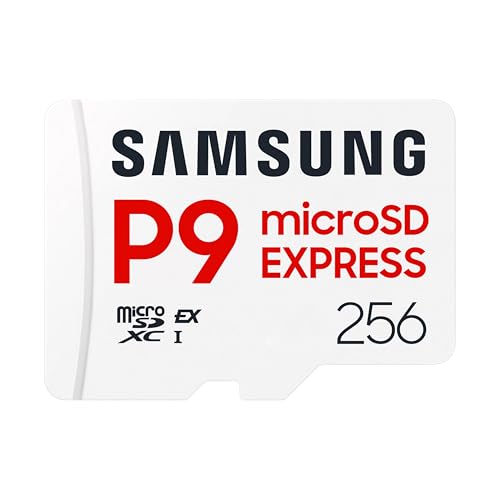
- TRANSFER SPEEDS UP TO 800 MB/S: With sequential read speeds up to 800 MB/s, get into your game up to 4× faster than our standard microSD cards (UHS I)¹.
- DYNAMIC THERMAL GUARD: Keeps its cool even when the action heats up. Dynamic Thermal Guard helps reduce overheating for fast, smooth gameplay.
- ALL YOUR GAMES ON ONE TINY CARD: Store all your games and downloadable content (DLCs) with up to 512GB of reliable storage. No deleting. No compromises.
- 6-PROOF PROTECTION WITH 3-YEAR LIMITED WARRANTY: Built to last, made for peace of mind. Anything can happen when you’re gaming on the go. With 6 types of protection²⁻⁹, the P9 Express can handle it all—helping maintain your game progress.
- NEXT-GEN AND BACKWARD COMPATIBLE: Your microSD Express card is compatible with Nintendo Switch 2¹⁰ and microSD UHS-I¹¹ devices, including tablets, drones, cameras and more.
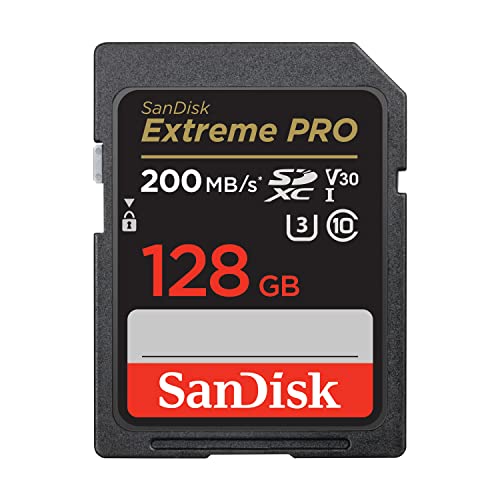
- Save time with card offload speeds of up to 200MB/s powered by SanDisk QuickFlow Technology (Up to 200MB/s read speeds, engineered with proprietary technology to reach speeds beyond UHS-I 104MB/s, require compatible devices capable of reaching such speeds. Based on internal testing; performance may be lower depending upon host device, interface, usage conditions and other factors. X = 150KB/sec. SanDisk QuickFlow Technology is only available for certain capacities. Actual user storage less.)
- Pair with the SanDisk Professional PRO-READER SD and microSD to achieve maximum speeds (sold separately)
- Shot speeds up to 90MB/s (Write speed up to 90MB/s. Based on internal testing; performance may be lower depending upon host device. 1MB=1,000,000 bytes. X = 150KB/sec.)
- Perfect for shooting 4K UHD video and sequential burst mode photography (Full HD (1920x1080) and 4K UHD (3840 x 2160) video support may vary based upon host device, file attributes and other factors. See HD page on SanDisk site.) Sequential Write Performance: Up to 90MB/s
- UHS Speed Class 3 (U3) and Video Speed Class 30 (V30) (UHS Speed Class 3 designates a performance option designed to support 4K UHD video recording with enabled UHS host devices. UHS Video Speed Class 30 (V30), sustained video capture rate of 30MB/s, designates a performance option designed to support real-time video recording with UHS enabled host devices. See the SD Association’s official website.)

This product presentation was made with AAWP plugin.