NHTSA ID Number: 10161676
Manufacturer Communication Number: Quick Tip V1.0
Summary
Remote start and extended range quick tip – Jetta GLI
4 Affected Products
Vehicles
VOLKSWAGEN | ARTEON | 2020 |
| VOLKSWAGEN | ATLAS | 2020 |
| VOLKSWAGEN | JETTA | 2020 |
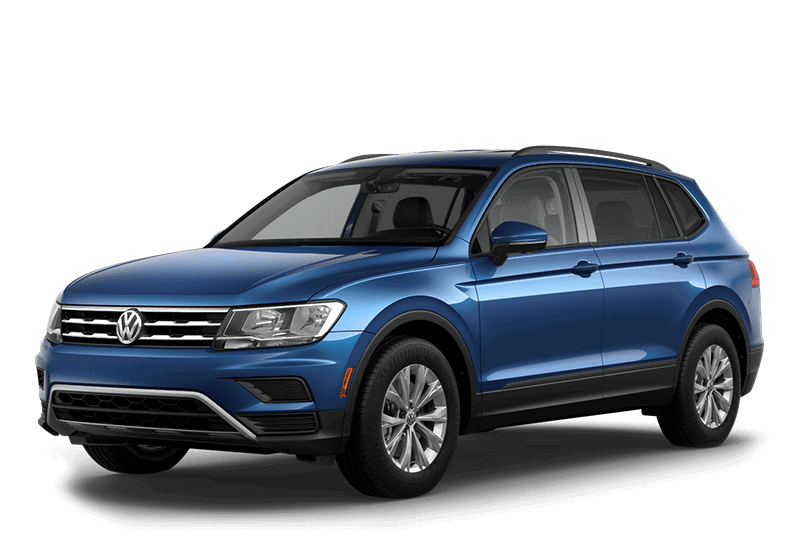
| VOLKSWAGEN | TIGUAN | 2020 |
Quick tip
Version 1.2
February 25th, 2019
Title: Remote start with extended range
(Only applies to 2019 Tiguan LWB, Jetta, GLI built after CW36/18, Atlas built after CW42/2018)
Remote start kit part number: 3CN065760
Plus
Extended range kit part number: 000065760
Important notes: Only one (1) extended range fob can be programmed to the system at a time. If additional remote start keys are desired, factory standard range remote start key part number G0937048 and emergency key part number 3G0959752T DTB must be used. These keys must be ordered with the correct VIN.
Always check ETKA for the latest part numbers.
Note: Only applies to 2019 Tiguan LWB, Jetta, GLI built after CW36/18, Atlas built after CW42/2018.
Step 1:
- Bend the door seal molding outward in the instrument panel cover area.
- Pry out the instrument panel side cover -1- with the -3409- near the catches.
- Pull the cover toward the rear and remove it.
Step 2:
- Unclip the A-pillar gap cover -1- from the Apillar upper trim panel and A-pillar lower trim panel -arrows-.
- Loosen the A-pillar gap cover -1- from the door seal molding and remove it upward.
Step 3:
- Starting at the top, carefully loosen the Apillar trim panel -2- with the -3409- near the clips -1- from the body mounts -arrow A- and -arrow B-.
- Pull the A-pillar trim panel -2- upward out of the instrument panel -arrow C-.
- Disconnect the connectors, if equipped.
- Remove the A-pillar upper trim panel -2-.
- Note: Inspect and replace the fasteners if necessary, part numbers 5NA867276B (x2) and 5G0867276A (x1).
Step 4:
- Remove fuse panel cover.
Step 5:
- Locate the Relay labeled -548- and remove it.
- Install the new Relay labeled -526- (comes in the Box).
Step 6:
- Locate fuse 49
- Remove and discard.
Step 7:
- Insert red wire into the fuse holder.
- Insert black/red wire into fuse holder.
- Insert the 2-amp fuse into the fuse holder.
- Insert the red/black wire into the connector.
Step 8:
- Use a cable tie and secure the module at the base of A-pillar.
Step 9:
- Route ground wire behind lower A-pillar trim and connect to the chassis ground location under the carpet near the base of A-pillar.
- Torque nut to 9Nm.
Step 10:
- Insert the power wire in any open location shown above.
Step 11:
- Mount the fuse holder to the bracket on the side of the relay panel.
Step 12:
- On white BCM connector, insert line wire from kit into location 54.
- Note: If there is already a wire in this location use the provided splice connector.
Step 13:
- Route the antenna cable (supplied in the kit) -2- vertically on the left hand side of the mirror mount up to the headliner.
- Tuck the cable behind the headliner and down the “A” pillar and connect it to the module.
- Use the small wire ties -arrows- to secure the cable to the factory harness located within the “A” pillar.
Step 14:
- Reinstall all trim panels and the BCM connector that was previously removed.
Step 15:
- Connect battery charger/maintainer.
- Connect scan tool.
- Scan the vehicle using GFF.
- Select Special Functions / Adapting software.
- engines to update ECM. Select Option 2 and enter SVM code 4196 (Jetta 1.4 TSI), SVM code 3FBD for (AtlasVR6) No action is required for vehicles with 2.0 TSI engines.
- Select Special Functions / Adapting software. Select Adapting Software and Option 4 (conversion retrofit with license protection).
- Select Special Functions / Adapting software. Enter the SWAP keys located in pamphlet provided in remote start kit.
- Select Adapting Software and Option 2 again. Enter SVM code 425D to update BCM.
Step 16:
- Select “OBD.”
Step 17:
- Select “0009 – Central Electrics” then select the “green arrow.”
Step 18:
- Select “adapting RF transmitter via barcode” then select the “arrow.”
Step 19:
- Select the “next arrow.”
Step 20:
- Enter the RF ID (HEX) and Private key (HEX) either manually with the keyboard or scan the QR code with a scanner.
Step 21:
- Select the “next arrow.”
Step 22:
- Select “Start.”
Step 23:
- After selecting “Start,” the result field should change to “[VO] Correct-Results” for a couple seconds. The process is completed.
Step 24:
- To test the operation, close all doors and lock the vehicle, Press the “Info” button once, then press the “Start” button twice on the new transmitter.
Step 25:
- Place the sticker with the RF ID (HEX) and Private key (HEX) on the extended range owner’s manual document. Place the document in the glove box with the owner’s manual.
Conditions that will prevent system operation
- Programming failed. Check ETKA or ELSA Pro for new PR code #U2.
- Low fuel light illuminated.
- DTC’s in engine, transmission, vehicle electrics, ABS/ESP.
- Key fob/dongle not programmed.
- Vehicle out of range.
- Incorrect button sequence pressed on key fob/dongle.
- Remote start operation has ran 2 cycles without being started with vehicle key.
- Vehicle battery voltage too low.
Jun 18th, 2019
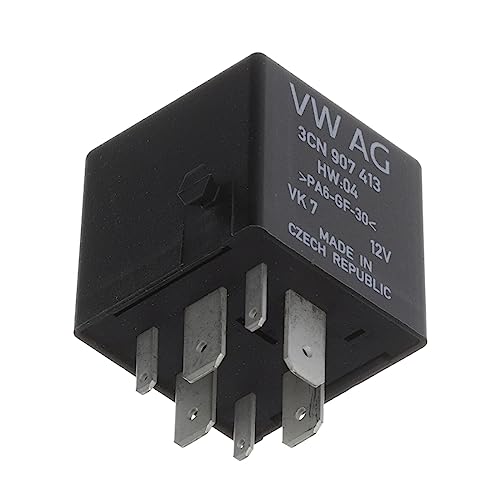
- Model: Arteon Compatible with Atlas Jetta Compatible with Jetta GLI Tiguan, Fitment Type: Direct Replacement, Modified Item: No
- Oe Spec Or Performance/Custom: OE Spec, Other Part Number: 3CN065760, Brand: Compatible with Volkswagen
- Manufacturer Part Number: 3CN-065-760, Non-Domestic Product: No, Warranty: 1 Year
- Year: 2018 2019 2020 2021 2022 2023, Part Brand: Compatible with Volkswagen, Make: Compatible with Volkswagen
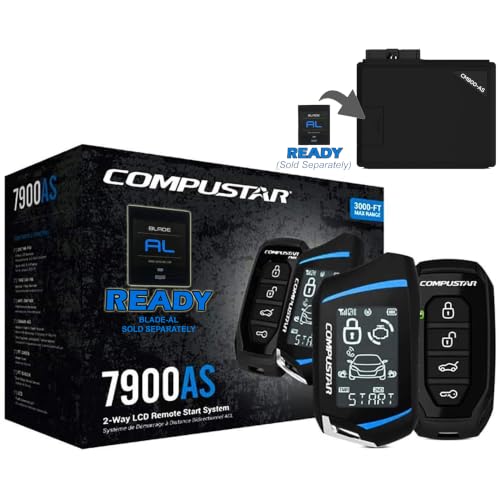
- Some vehicles may require extra parts which are sold separately and not included. Wiring diagrams and installation instructions NOT included. Professional installation required.
- 3000-ft max range remote start + alarm bundle with 2-way interactive LCD remote. Includes CM600 control module, shock sensor, siren, and LED.
- 2-Way is the Only Way! Lock and start your vehicle with confidence using Compustar 2-way remotes, which provide visual and audible confirmation when your commands are sent successfully.
- Intelligent Security Sensors - The CS7900-AS is capable of adding door, hood, trunk, and impact sensors all around your vehicle to detect intrusion into your vehicle. In the event of intrusion, the 2-way LCD remote included with this system will alert you what's happening to your vehicle.

- 2-way remote start bundle - 2-Way LED Confirmation - Water-Resistant
- Up to 3000-ft range, 2-way LED remote - Smartphone Control - Keyless Entry
- CM900-S remote start control module - 3X Lock Start (OEM Remote)
- Now includes Drone X1-LTE (Unlimited Range) - Limited Lifetime System Warranty - 1-Year Remote Warranty
- Contact an Authorized Compustar Installer near you today to request installation pricing and confirm compatibility with your vehicle.
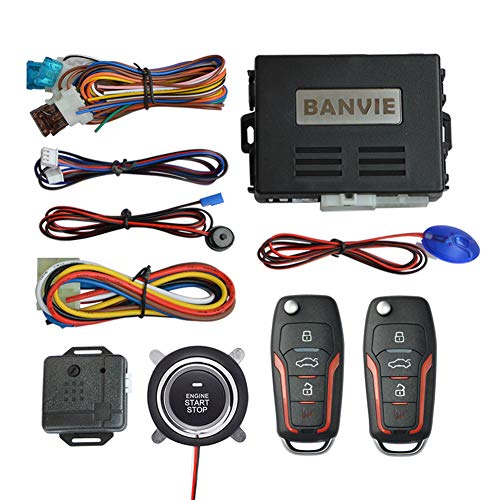
- Keyless Entry: with the basic keyless entry function. such as remote control lock/unlock door, trunk release.
- 1-Way Alarm: the siren will alarm for 8s when car body shocked, will alarm for 25s when side door opened/ footbrake pressed. Siren output is optional, could connect the original horn or extra horn.
- Remote Start: remote engine start your car in cold winter or hot summer in advance.
- Push Button Start: keyless go push button to start stop the engine, very convenient to replace the old key lock
- Push Button Auto-lock: 30s after engine stop, the system will auto-lock the push button, do not worry someone will drive your car away.
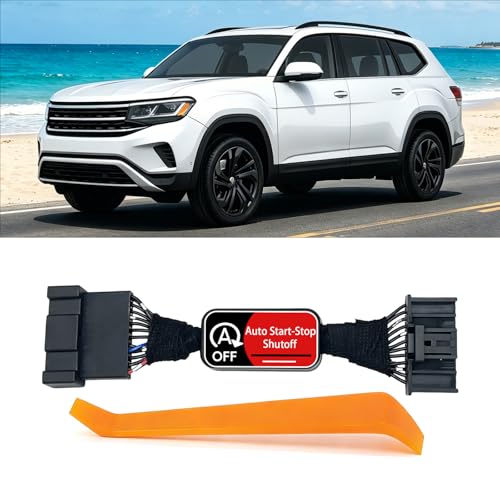
- 【Perfect Compatibility】Our Auto Start Stop Eliminator is designed specifically Compatible with Volkswagen Atlas 2017 2018 2019 2020 2021 2022 2023 ensuring a perfect fit and reliable performance.(Scan the QR code attached to the packaging bag for the instruction manual.)
- 【No More Auto Start/Stop】Engine no longer automatically shuts off and restarts at red lights or stop signs. Reduce engine and battery wear caused by frequent auto start stop cycles, prevent premature battery replacements, extend engine longevity with less costly maintenance.
- 【Easy to Use】It automatically disables the start-stop function without requiring frequent manual settings. It does not interfere with the vehicle's remote start function and ensures that other vehicle functions are unaffected.This device allows you to restore auto start-stop function within ignition cycle, just press the button once.
- 【Plug and Play】Equipped with a disassembly tool, Just remove the panel and connect the start-stop automatic closing device with the original car plug is ok. There is no need to cut, splice wires and program.
- What will you get?: 1* Auto Stop Start Disabler for Volkswagen Atlas 2017 - 2023, 1* panel pry tool,Installation Guide included. If you encounter any problems while using the product, please contact us promptly!
This product presentation was made with AAWP plugin.