
NHTSA ID Number: 10194418
Manufacturer Communication Number: A9121042024323_8
Summary
This bulletin contains technical information regarding when the parking aid sporadically warns of obstacles that don’t exist or it is inoperative/constant warning.
Customer states one of the following:
- Parking aid sporadically warns of obstacles when none exist.
- Parking aid is inoperative or provides a constant warning.
Technical Background
- Various parking aid sensor fitting issues.
- Environmental conditions.
Please review the informational video before attempting the repair procedure: https://audi-external.kzoplatform.com:443/swf/player/342
Please review the informational video before attempting the repair procedure: https://audi-external.kzoplatform.com:443/swf/player/343
369 Affected Products
Vehicles
| MAKE | MODEL | YEAR |
AUDI | A3 | 2006-2020, 2022 |
| AUDI | A3 ETRON | 2015-2018 |
| AUDI | A4 | 2006-2023 |
| AUDI | A4 CABRIOLET | 2006-2009 |
| AUDI | A5 | 2008-2023 |
| AUDI | A5 CABRIOLET | 2008-2021 |
| AUDI | A6 | 2006-2023 |
| AUDI | A6 ALLROAD | 2020-2021 |
| AUDI | A7 | 2007, 2009-2023 |
| AUDI | A7 PHEV | 2021-2022 |
| AUDI | A8 | 2006-2023 |
| AUDI | A8 PHEV | 2021 |
| AUDI | ALLROAD | 2010-2021 |
| AUDI | AUDI | 9999 |
| AUDI | E-TRON | 2019-2021 |
| AUDI | Q3 | 2015-2022 |
| AUDI | Q5 | 2010-2023 |
| AUDI | Q7 | 2007-2023 |
| AUDI | Q8 | 2019-2023 |
| AUDI | R8 | 2008-2012, 2014-2015, 2017-2018, 2020 |
| AUDI | RS Q8 | 2020-2023 |
| AUDI | RS3 | 2017-2022 |
| AUDI | RS4 | 2008 |
| AUDI | RS5 | 2010-2019, 2021-2023 |
| AUDI | RS5 CABRIOLET | 2013-2015 |
| AUDI | RS6 | 2016-2018, 2020-2023 |
| AUDI | RS7 | 2016-2018, 2021-2023 |
| AUDI | S3 | 2015-2022 |
| AUDI | S4 | 2010-2016, 2018-2023 |
| AUDI | S5 | 2010-2023 |
| AUDI | S5 CABRIOLET | 2015-2021 |
| AUDI | S6 | 2006-2011, 2013-2018, 2020-2023 |
| AUDI | S7 | 2012-2023 |
| AUDI | S8 | 2007-2009, 2012-2016, 2021-2023 |
| AUDI | SQ5 | 2018-2023 |
| AUDI | SQ7 | 2020-2022 |
| AUDI | SQ8 | 2020-2023 |
| AUDI | TT | 2006, 2008-2022 |
| AUDI | TT RS | 2013, 2018-2023 |
| AUDI | TTS | 2010-2022 |
1 Associated Document
Manufacturer Communications
91 21 04 2024323/8 May 18, 2021
MC-10194418-0001.pdf 534.192KB
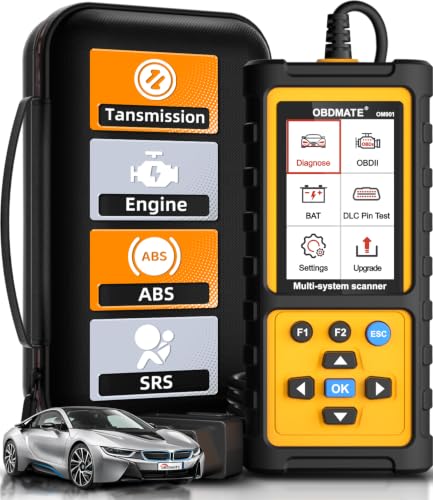
- 【Reset ABS/SRS/Transmission/Engine Lights】 More than an check engine code reader, OBDMATE OM901 obd2 scanner performs comprehensive diagnostics for the 4 most-used systems (ABS/SRS/Engine/Transmission). It quickly clears fault codes, turns off warning lights, read data stream and auto VIN.
- 【3.5" Handheld Scanner with 4 System Diagnose】 3.5" Super large TFT screen equipped displays an intuitive menu and clear readings of various sensors from ABS, SRS, ECM and TCM systems. It arrived with a silicone protective case and hard-shell carrying case, ensuring long-lived durability and drop resistance. The car diagnostic tool is plug-to-play designed, plug it and get diagnosis started without any batteries or updates required.
- 【One-Click I/M Readines&Full OBD2 Functions】 Press F1 to get an intuitive corloured form about whether various emissions-related systems on the vehicle are operating properly. Help you get smog-check ready quickly. OM901 car scanner supports all essential OBD2 functions you need: read & clear codes, view freeze frame, read I/M readiness, retrieve VIN, live data stream (with graphing display), O2 sensor test, onboard monitoring mode, and EVAP leak test.
- 【Battery Voltage Check&DLC Pin Test】 It allows you to monitor battery health by testing current battery voltage. Plus, this obd2 diagnostic tool features DLC 16-PIN test to check current voltage of every pin.
- 【Automotive Scanner Diagnostic Kit】 The package comes with 1 car scanner, 1 USB-type c cable, 1 hard storage bag and 1 user manual(en). Free to update without any hidden fees. 5 languanges available in setting including English, French, Italian, German and Espanish. Valuable and Portable, making it a great tool kit for car owners, DIY enthusiasts, and professional mechanics.

- [Easy to Use—Work Out of the Box] + [FOXWELL 2026 New Version] FOXWELL NT604 Elite scan tool is the 2026 new version from FOXWELL, designed for car owners who want to figure out the cause of issues before fixing car problems by scanning common systems like ABS, SRS, engine, and transmission. The NT604 Elite obd2 scanner diagnostic tool comes with the latest software—no need to waste time downloading software first. Plug the scanner into the OBDII port with OBDII cable to start the diagnosis.
- [Affordable] + [Reliable Car Health Monitor] Will you be confused what happens when the warning light of ABS/SRS/transmission/check engine flashes? Instead of taking your cars to dealership, this FOXWELL scanner will help you do a thorough scanning and detection for your cars and pinpoint the root cause. Note:The device is a diagnostic tool, not a repair tool. To turn off a warning light, you must first physically repair the issue causing it. Only then can the scanner be used to clear the corresponding fault code.
- [5 in 1 Car Diagnostic Scanner] Compared with obd scanners (50-100), NT604 Elite code scanner not only includes their OBDII diagnosis but also serves as ABS/SRS scanner, transmission and check engine code reader. When it’s an odb2 scanner, you can use it to check if your car is ready for annual test through I/M readiness menu. In addition, live data stream, built-in DTC library, data play back and print, all these features are a big plus for it. Note: doesn't support maintenance functions like reset or relearn. For the SRS system, NT604 Elite can read and clear common fault codes not caused by a crash, but crash/collision data cannot be cleared.
- [Fantastic AUTOVIN] + [No extra software fee] Through the AUTOVIN menu, this NT604 Elite car scanner allows you to get your V-IN and vehicle info rapidly, no need to take time to find your V-IN and input one by one. What's more, the NT604 Elite ABS SRS scanner supports 60+ car brands from worldwide (America/Asia/Europe). You don’t need to pay extra software fee. AUTOVIN may not work on some older vehicles or certain vehicle brands. If AUTOVIN fails, please input the vin code manually or go to the Diagnostic Menu to select your vehicle model.
- [Solid protective case KO plastic carrying bag] + [Lifetime update] Almost all same price-level car scanner diagnostic tool only offers plastic bag to hold the scanner.However, NT604 Elite automotive scanner is equipped with solid protective case, preventing your obd2 scanner from damage. Then you don’t need to pay extra money to buy a solid toolbox.

- OBD2 SCANNER FOR ALL SYSTEMS – The INNOVA SD35 is a tablet-based OBD2 scanner designed for advanced diagnostics. Read and clear check engine light, ABS, SRS, and TPMS codes, plus test your car battery and alternator to prevent unexpected failures. Vehicle coverage may vary. Please use Innova’s Coverage Checker to verify compatibility.
- ALL-SYSTEM DIAGNOSTICS & LIVE DATA – Unlike basic code readers, this OBD2 scanner for all vehicles scans engine, transmission, ABS, SRS, and more. Get real-time live data, including RPM, fuel trims, temperature readings, and oxygen sensor performance.
- OBD2 TABLET WITH USER-FRIENDLY INTERFACE – This automotive scan tool features a high-resolution display, making vehicle diagnostics faster and easier.
- ADVANCED TPMS, OIL RESET & SERVICE FUNCTIONS – Perform TPMS sensor checks, oil light reset, and other service resets with ease This professional diagnostic tool provides comprehensive vehicle maintenance capabilities in one device.
- WIDE VEHICLE COVERAGE (1996 & NEWER CARS & TRUCKS) – This OBD2 scanner Bluetooth tablet is compatible with Toyota, Ford, Honda, Chevrolet, Nissan, Dodge, and more. However, feature coverage may vary. Please use Innova's Coverage Checker to verify coverage.

- [All System Diagnostics, Professional-Level Scanner] - BLCKTEC 460T is the ultimate OBD2 diagnostic tool for home mechanics and professionals. It supports all 10 OBD2 modes, reads and clears Engine/Transmission/ABS/SRS codes, performs All-System Diagnostics, offers workshop reset tools, and provides real-time live data. It helps you pinpoint issues, assess your car's condition, and prepare for SMOG checks with ease. NOTE: Function availability depends on your vehicle. Before you buy, be sure to use the Compatibility Checker on BLCKTEC website or contact our customer support to verify that the features you need are supported for your vehicle’s specific year, make, and model.
- [12+ Most Popular Reset Functions] - BLCKTEC 460T OBD2 scanner offers 12+ dealer-level service functions, including Oil Maintenance Reset, ABS Bleeding, EPB Reset, SAS(Steering Angle Sensor) Recalibration, DPF(Diesel Particulate Filter) Reset, Throttle Body Relearn, Battery Reset/Initialization, TPMS Relearn, Transmission Reset, Fluid Change Reset, Maintenance Reset and more, enabling you to perform workshop services like a pro. NOTE: Function availability depends on your vehicle. Be sure to use the Compatibility Checker on BLCKTEC website to verify that the features you need are supported for your vehicle.
- [Real-Time OBD2 and OEM Live Data, Freeze Frame Data] - BLCKTEC 460T helps diagnose vehicle issues when warning lights like Check Engine Light or ABS/SRS Light appear. It offers detailed DTC info, ECU Freeze Frame Data, and real-time OBD2 and advanced OEM live data, including Engine, Transmission, ABS, SRS, and more, making it easy to diagnose and resolve vehicle problems. You can view, graph, record, replay, and overlay up to four live data streams in a single graph for better analysis.
- [AutoVIN, AutoReLink, AutoScan, 3X Faster] - Equipped with AutoVIN technology, 460T automatically retrieves the VIN to save you time. Its AutoScan and AutoReLink features scan all of the vehicle's ECUs and detect any fault codes immediately after you plug the scanner into the vehicle's OBD2 port - no button presses required. Additionally, it regathers DTC and I/M readiness information every 30 seconds, simplifying monitor tests. 460T's advanced technology makes it 3X faster than other products.
- [Get RepairSolutions2, the #1 Auto Repair App for Free] - When paired with RepairSolutions2(RS2) App, 460T becomes even more powerful. RS2's Verified Fix Database built by master technicians, provides the parts needed for the repair. Additionally, RS2 gives you access to OEM warranty info, maintenance schedules, TSB, and dealership recall info, making car care easier than ever. RS2 is free with no subscription fees and it stores your car scan reports in the cloud, allowing you to access, share, or print them anytime and anywhere.
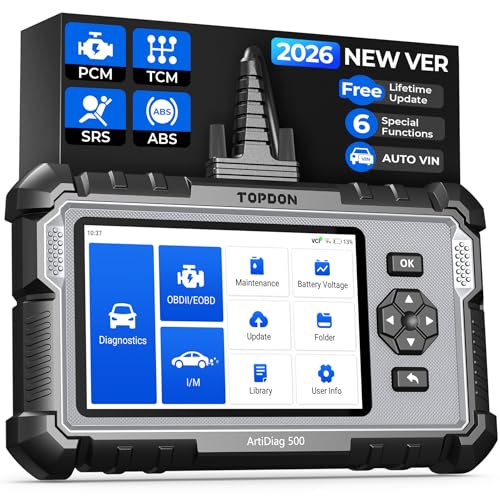
- [Brand-New ArtiDiag500] We've got everything you're looking for! Forget basic OBD2 scanners; TOPDON's ArtiDiag500 car scanner offers more. The all-new ArtiDiag500 not only includes full OBD2 functions and 4-system diagnostics but also provides DIYers with 6 maintenance services. The brand-new, cost effective AD500 is back in full swing!
- [4-System Diagnostics] DIY enthusiasts, take notice! Will these 4-system diagnostics be the treasure you've been seeking? The ArtiDiag500 code reader offers in-depth testing for the engine, transmission, ABS, and SRS systems, reading fault codes and data streams. It also visualizes real-time data in chart form, simplifying complex data for storage and future playback, aiding DIY users in problem detection.
- [6 Reset Functions] Hey, hang tight for a moment. With these 6 reset functions, the ArtiDiag500 has got you covered. It offers throttle adaptation along with reset capabilities for Oil, SAS, TPMS, BMS, and EPB. Seamlessly aligning the throttle, battery, tires, and brake pads with your vehicle, it also adjusts the steering angle and turns off the oil light. Looking to restore your car to its original condition? Look no further than the ArtiDiag500.
- [Multiple Functions] The Smart AutoVIN of this TOPDON OBD2 scanner keeps track of your manual selections for vehicle make, model, and year and directs you to the suitable diagnostics. Max 4 Live Data streams integrated for much easier data processing. Diagnostic feedback online with this diagnostic tool to help you get tough repair operations well-completed. Real-time car battery voltage monitoring identifies probable vehicle defects.
- [Wide Vehicle Coverage] ArtiDiag500 currently supports 67+ car brands, 10,000+ models, covering most vehicles worldwide. Supports cutting-edge CAN FD protocols, making it compatible with modern vehicles including 2020+ GM & Chrysler. It supports FCA AutoAuth (official Secure Gateway access) to stay up to date with newer models from Chrysler, Jeep, Fiat, and others. Plus, it's fully compatible with Android 11 for smoother use. Note: Please charge AD500 regularly to maintain battery performance and prevent power-on issues caused by prolonged periods of non-use.
SEOCONTENT-START
Page 1 of 12 © 2021 Audi of America, Inc. All rights reserved. Information contained in this document is based on the latest information available at the time of printing and is subject to the copyright and other intellectual property rights of Audi of America, Inc., its affiliated companies and its licensors. All rights are reserved to make changes at any time without notice. No part of this document may be reproduced, stored in a retrieval system, or transmitted in any form or by any means, electronic, mechanical, photocopying, recording, or otherwise, nor may these materials be modified or reposted to other sites, without the prior expressed written permission of the publisher. 91 Parking assistance provides false warnings 91 21 04 2024323/8 May 18, 2021. Supersedes Technical Service Bulletin Group 91 number 21-64 dated January 25, 2021 for reasons listed below. Model(s) Year VIN Range Vehicle-Specific Equipment All others 2005 – 2023 All Not Applicable Audi e-tron quattro 2019 – 2021 All Not Applicable Audi e-tron Sportback 2020 – 2021 All Not Applicable Condition REVISION HISTORY Revision Date Purpose 8 – Revised header (Added model years and models) Revised Additional Information (Added reference) 7 01/25/2021 Revised header (Added MY21 – 22) 6 09/12/2019 Revised header (Corrected Elsa display issue) Revised Service (Added Tip) Customer states one of the following: Parking aid sporadically warns of obstacles when none exist. Parking aid is inoperative or provides a constant warning. Page 2 of 12 © 2021 Audi of America, Inc. All rights reserved. Information contained in this document is based on the latest information available at the time of printing and is subject to the copyright and other intellectual property rights of Audi of America, Inc., its affiliated companies and its licensors. All rights are reserved to make changes at any time without notice. No part of this document may be reproduced, stored in a retrieval system, or transmitted in any form or by any means, electronic, mechanical, photocopying, recording, or otherwise, nor may these materials be modified or reposted to other sites, without the prior expressed written permission of the publisher. Technical Background Various parking aid sensor fitting issues. Environmental conditions. Please review the informational video before attempting the repair procedure: https://audi-external.kzoplatform.com:443/swf/player/342 (Figure 1). Figure 1. False parking system warnings. Please review the informational video before attempting the repair procedure: https://audi-external.kzoplatform.com:443/swf/player/343 (Figure 2). Figure 2. Parking system malfunctions. Production Solution Not applicable. Page 3 of 12 © 2021 Audi of America, Inc. All rights reserved. Information contained in this document is based on the latest information available at the time of printing and is subject to the copyright and other intellectual property rights of Audi of America, Inc., its affiliated companies and its licensors. All rights are reserved to make changes at any time without notice. No part of this document may be reproduced, stored in a retrieval system, or transmitted in any form or by any means, electronic, mechanical, photocopying, recording, or otherwise, nor may these materials be modified or reposted to other sites, without the prior expressed written permission of the publisher. Service Misaligned parking aid sensors or various vehicle mountings can cause parking aid malfunctions. This TSB provides tips for diagnosing parking aid systems. 1. Confirm there is no obvious obstructions due to aftermarket components, physical vehicle damage, excessive dirt/snow, or stickers. 2. Check the vehicle fault memory and proceed according to GFF. If GFF identifies a problem with a specific sensor, proceed with the test plan. If GFF does not identify a specific sensor, check MVBs in the master module for the parking aid sensors. Based on the vehicle, these can be found in the guided functions or OBD of module 09, 76 or A5. Tip: Below is an example of module 76 MVB. When diagnosing the system you can check the response values for the sensors. Compare the sensor values to one another while moving a test object closer/further away, they should all respond similarly. MVBs for distance calculations (255 = no obstruction). If an obstruction is identified but none exists, proceed to step 3. Tip: Vehicles can be equipped with 4, 8 or 12 channel parking aid systems. Refer to Elsa for vehicle-specific information. 3. Check parking sensors (Figure 3) for obvious issues: Mechanical damage (stone chips, scratches). Dirt, ice, foreign bodies, and/or foil adhered to the sensor. Damage to the bumpers that may indicate an accident (or paint indicating a previous incident). Figure 3. Stone chips causing sensor failure. Page 4 of 12 © 2021 Audi of America, Inc. All rights reserved. Information contained in this document is based on the latest information available at the time of printing and is subject to the copyright and other intellectual property rights of Audi of America, Inc., its affiliated companies and its licensors. All rights are reserved to make changes at any time without notice. No part of this document may be reproduced, stored in a retrieval system, or transmitted in any form or by any means, electronic, mechanical, photocopying, recording, or otherwise, nor may these materials be modified or reposted to other sites, without the prior expressed written permission of the publisher. Tip: Exterior damage to the vehicle, including stone chips and scratches, is not covered by Audi Warranty. When painting sensors, the special painting instructions for parking sensors in the paint repair manual must be observed. 4. Check for non-Audi Genuine Accessories which can interfere with parking aid operation, including: Aftermarket towing bar. Aftermarket lowering kit. Aftermarket spoiler or air deflector. Aftermarket bumper. 5. For 8 and 12 channel systems, check the installation of the front license plate holder for: Protrusion. The license plate and holder must fit on flat. Bent corners. Any bent-open corners may cause false readings. Correct fit. Oversized license plate holders or frames can obstruct parking aid sensors. 6. Pressure check for a tight fit and correct attachment of the parking sensors (Figure 4). If the sensor is not snug or feels loose, remove the bumper and reinstall the sensor. Figure 4. A pressure check on a parking aid sensor. Page 5 of 12 © 2021 Audi of America, Inc. All rights reserved. Information contained in this document is based on the latest information available at the time of printing and is subject to the copyright and other intellectual property rights of Audi of America, Inc., its affiliated companies and its licensors. All rights are reserved to make changes at any time without notice. No part of this document may be reproduced, stored in a retrieval system, or transmitted in any form or by any means, electronic, mechanical, photocopying, recording, or otherwise, nor may these materials be modified or reposted to other sites, without the prior expressed written permission of the publisher. 7. Check that the decoupling ring is correctly seated (Figures 5 – 7). If the ring is folded or bulging, remove the bumper and reinstall the sensor. Figure 5. A correctly seated decoupling ring. Figure 6. An incorrectly seated decoupling ring (bulging). Page 6 of 12 © 2021 Audi of America, Inc. All rights reserved. Information contained in this document is based on the latest information available at the time of printing and is subject to the copyright and other intellectual property rights of Audi of America, Inc., its affiliated companies and its licensors. All rights are reserved to make changes at any time without notice. No part of this document may be reproduced, stored in a retrieval system, or transmitted in any form or by any means, electronic, mechanical, photocopying, recording, or otherwise, nor may these materials be modified or reposted to other sites, without the prior expressed written permission of the publisher. Figure 7. An incorrectly seated decoupling ring (folded). 8. Verify that the sensor is centered inside of the mounting hole (Figures 8 – 9). If the sensor is mounted off-center, remove the bumper and reinstall the sensor. Figure 8. A correctly centered parking aid sensor. Page 7 of 12 © 2021 Audi of America, Inc. All rights reserved. Information contained in this document is based on the latest information available at the time of printing and is subject to the copyright and other intellectual property rights of Audi of America, Inc., its affiliated companies and its licensors. All rights are reserved to make changes at any time without notice. No part of this document may be reproduced, stored in a retrieval system, or transmitted in any form or by any means, electronic, mechanical, photocopying, recording, or otherwise, nor may these materials be modified or reposted to other sites, without the prior expressed written permission of the publisher. Figure 9. An off-center parking aid sensor. 9. Ensure the sensor sits flush with the bumper (Figures 10 – 11). If the sensor is recessed or bulging, remove the bumper and reinstall the sensor. Figure 10. A correctly installed parking aid sensor. Page 8 of 12 © 2021 Audi of America, Inc. All rights reserved. Information contained in this document is based on the latest information available at the time of printing and is subject to the copyright and other intellectual property rights of Audi of America, Inc., its affiliated companies and its licensors. All rights are reserved to make changes at any time without notice. No part of this document may be reproduced, stored in a retrieval system, or transmitted in any form or by any means, electronic, mechanical, photocopying, recording, or otherwise, nor may these materials be modified or reposted to other sites, without the prior expressed written permission of the publisher. Figure 11. A recessed parking aid sensor. 10. Re-evaluate the concern: If an issue was identified and the concern was remedied, proceed to step 15. If no issues were identified and the concern cannot be duplicated, proceed to step 15. If the concern still persists, continue to step 11. 11. Remove the bumper and check the connectors on the sensors, the socket box of the bumper, on the control module for parking assistance and on the sound generator of the parking assistance for: Corrosion. Water ingress or water marks. Bent-open pins. Pushed-back pins. The correct fit of plug seal. Tip: If a specific sensor is identified by the diagnostic tester, proceed forward for that specific sensor only. Page 9 of 12 © 2021 Audi of America, Inc. All rights reserved. Information contained in this document is based on the latest information available at the time of printing and is subject to the copyright and other intellectual property rights of Audi of America, Inc., its affiliated companies and its licensors. All rights are reserved to make changes at any time without notice. No part of this document may be reproduced, stored in a retrieval system, or transmitted in any form or by any means, electronic, mechanical, photocopying, recording, or otherwise, nor may these materials be modified or reposted to other sites, without the prior expressed written permission of the publisher. 12. Check the cables in the bumper for damage and sufficient length (Figures 12 – 13). Cables that are too short can cause damage to the harness. If the cable is damaged, repair the cable using VAS Repair Kit 1978. If the cable is too tight, correct the routing by moving the support clip so the cable is no longer under tension. Figure 12. A correctly installed cable with sufficient length. Figure 13. A sensor cable with insufficient length. Page 10 of 12 © 2021 Audi of America, Inc. All rights reserved. Information contained in this document is based on the latest information available at the time of printing and is subject to the copyright and other intellectual property rights of Audi of America, Inc., its affiliated companies and its licensors. All rights are reserved to make changes at any time without notice. No part of this document may be reproduced, stored in a retrieval system, or transmitted in any form or by any means, electronic, mechanical, photocopying, recording, or otherwise, nor may these materials be modified or reposted to other sites, without the prior expressed written permission of the publisher. 13. Check the connectors on the parking sensors and the socket box for correct installation (Figures 14 – 15). If the connectors are not installed properly, reinstall. Figure 14. A correctly installed parking aid sensor connector. Figure 15. A parking aid sensor connector that is not seated correctly. 14. Re-evaluate the concern: If an issue was identified and the concern was remedied, proceed to step 15. If the concern still persists, swap affected parking aid sensors or control modules until the issue is identified, remedy the concern, then proceed to step 15. 15. Various environmental factors can cause incorrect warnings. Notify the customer that the following may affect parking aid operation: High plants and curbs. Gravel paths, cobblestone paths, potholes, grates, and sharp bends in the road, slopes, driveways, or ramps. Water on the parking sensors. Ice or snow on the parking sensor or the bumper. Exhaust gases of the vehicle under certain weather conditions. Conflicting ultrasound sources (pneumatic brakes on trucks, animal alarms, parking aid systems of other vehicles, etc.). Page 11 of 12 © 2021 Audi of America, Inc. All rights reserved. Information contained in this document is based on the latest information available at the time of printing and is subject to the copyright and other intellectual property rights of Audi of America, Inc., its affiliated companies and its licensors. All rights are reserved to make changes at any time without notice. No part of this document may be reproduced, stored in a retrieval system, or transmitted in any form or by any means, electronic, mechanical, photocopying, recording, or otherwise, nor may these materials be modified or reposted to other sites, without the prior expressed written permission of the publisher. Fluorescent lighting. Warranty Accounting for an incorrectly fitted license plate holder or for cleaning the sensors is not permitted under warranty. For the potential remounting of parking assist sensor, replacing of the parking assist sensor bracket, or repairing system wiring: Claim Type: 110 up to 48 Months/50,000 Miles. G10 for CPO Covered Vehicles – Verify Owner. If the vehicle is outside any warranty, this Technical Service Bulletin is informational only. Service Number: 9175 Damage Code: 0010 Labor Operations: Remove and install the rear parking aid sensor 9175 XXXX See SRT with associated operations Remove and install the front parking aid sensor 9175 XXXX See SRT with associated operations Remove and install the rear bumper 6369 19XX See SRT with associated operations Remove and install the front bumper 6329 19XX See SRT with associated operations Lane Change Assist recalibration (if necessary) 9635 XXXX See SRT with associated operations Repair wiring harness 9175 4199 Max 30 TU Diagnostic Time: GFF 0150 0000 Time stated on diagnostic protocol (Max 30 TU) Page 12 of 12 © 2021 Audi of America, Inc. All rights reserved. Information contained in this document is based on the latest information available at the time of printing and is subject to the copyright and other intellectual property rights of Audi of America, Inc., its affiliated companies and its licensors. All rights are reserved to make changes at any time without notice. No part of this document may be reproduced, stored in a retrieval system, or transmitted in any form or by any means, electronic, mechanical, photocopying, recording, or otherwise, nor may these materials be modified or reposted to other sites, without the prior expressed written permission of the publisher. Road test prior to service procedure No allowance 0 TU Road test after service procedure No allowance 0 TU Claim Comment: As per TSB #2024323/8 All warranty claims submitted for payment must be in accordance with the Audi Warranty Policies and Procedures Manual. Claims are subject to review or audit by Audi Warranty. Additional Information The following Technical Service Bulletin(s) will be necessary to complete this procedure: TSB 2039206, 00 How to watch TSB videos. All parts and service references provided in this TSB (2024323) are subject to change and/or removal. Always check with your Parts Department and/or ETKA for the latest information and parts bulletins. Please check the Repair Manual for fasteners, bolts, nuts, and screws that require replacement during the repair. ©2021 Audi of America, Inc. All rights reserved. Information contained in this document is based on the latest information available at the time of printing and is subject to the copyright and other intellectual property rights of Audi of America, Inc., its affiliated companies and its licensors. All rights are reserved to make changes at any time without notice. No part of this document may be reproduced, stored in a retrieval system, or transmitted in any form or by any means, electronic, mechanical, photocopying, recording, or otherwise, nor may these materials be modified or reposted to other sites without the prior expressed written permission of the publisher.
**************************************************************************************************************
SEOCONTENT-END
This product presentation was made with AAWP plugin.